
Step-by-Step Guide: How to Open an Amazon Seller Account in India (in 5 Minutes) (18th June, 2023)
- Miashi Consultancy
- Jun 18, 2023
- 2 min read

Introduction: Are you looking to start your e-commerce journey in India and tap into the vast customer base of Amazon? Opening an Amazon seller account is a crucial first step. In this comprehensive guide, we'll walk you through the process of creating an Amazon seller account specifically tailored for the Indian marketplace. Let's get started!
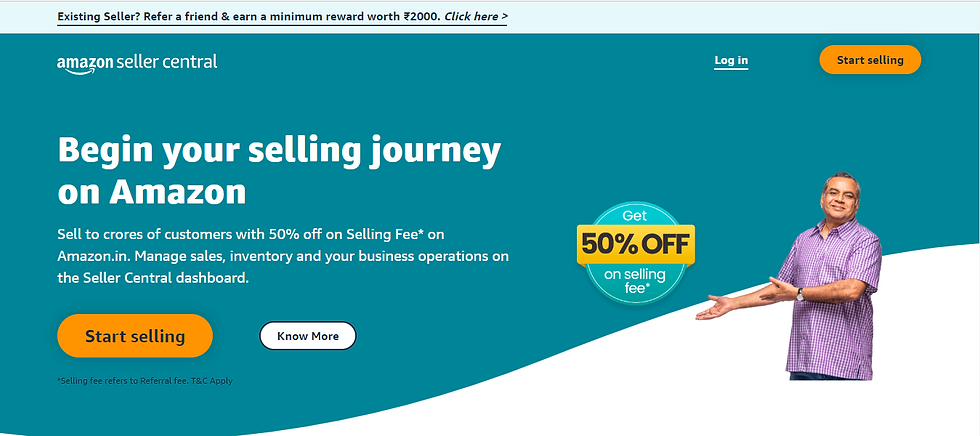
Step 1: Visit the Amazon Seller Central India Website To begin, go to the official Amazon Seller Central India website by typing "sellercentral.amazon.in" into your web browser's address bar. This will take you to the dedicated platform for Indian sellers.
Step 2: Click on "Start Selling" On the homepage, locate the "Start selling" button, usually positioned on the right side of the page. Give it a click to initiate the registration process.
Step 3: Sign in or Create a New Amazon Account If you already have an Amazon account, sign in using your existing credentials. If not, click on the "Create your Amazon account" button to set up a new account. Make sure to provide accurate and valid information.

Step 4: Provide Your Business Information Fill in the required details about your business, including your business name, address, and contact information. It is important to use relevant keywords in your business name and description to enhance visibility and searchability.

Step 5: Set Up Your Payment Method Enter your preferred payment method, such as a valid credit card, along with the corresponding billing address. This information will be used for seller fee charges and depositing your sales proceeds.
Step 6: Complete the Tax Identity Interview To comply with tax regulations, Amazon requires sellers to provide tax information. Complete the tax identity interview by answering the questions and providing the necessary details accurately.

Step 7: Verify Your Contact Information Verify your contact details, including your email address and phone number. Amazon will send a verification code to ensure the information provided is correct. Enter the code to proceed.
Step 8: Complete the Registration Process Once you have reviewed all the information and ensured its accuracy, click on the "Finish" or "Submit" button to complete the registration process. Congratulations! You have successfully opened your Amazon seller account in India.
Conclusion: Opening an Amazon seller account in India is a crucial step towards establishing your e-commerce presence in one of the world's largest marketplaces. By following this step-by-step guide, you can create your account with ease, ensuring your business is ready
Conclusion: Opening an Amazon seller account in India is a crucial step towards establishing your e-commerce presence in one of the world's largest marketplaces. By following this step-by-step guide, you can create your account with ease, ensuring your business is ready
How to open an amazon seller account.
By Miashi Consultancy Private Limited (E-commerce Service Provider)
Website - miashiecommerce.com
Instagram - https://www.instagram.com/miashi.ecommerce
Facebook - https://www.facebook.com/miashi.ecommerce6
Twitter - https://twitter.com/miashiecommerce


Comments